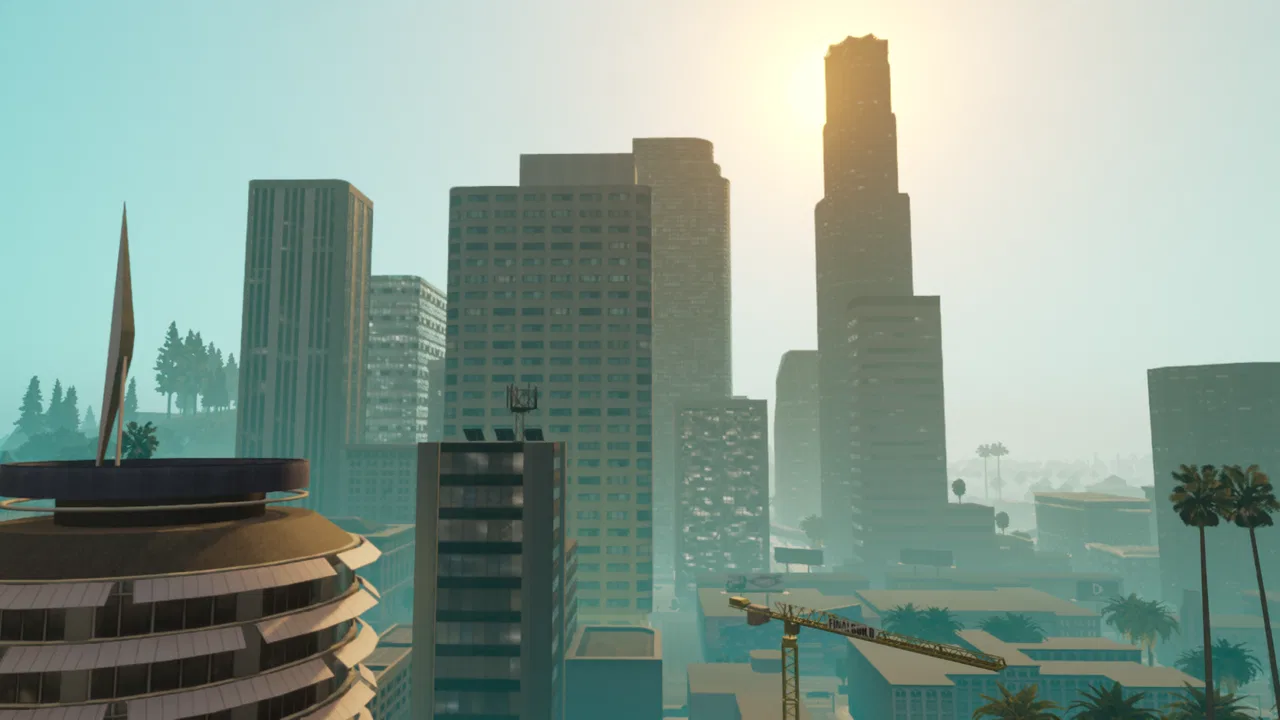
GTA: San Andreas - Definitive
- 4.1
- Rating
- 50.00K
- Installs
- $19.99
- Price

 Analysis by App-foxy
I approached GTA: San Andreas - Definitive as a mobile action game rather than a quick time-killer, and that distinction matters immediately. This is a large, story-driven version of Carl “CJ” Johnson’s return to Los Santos and San Andreas, built for players who want a substantial single-player experience on a phone or tablet. It is not the sort of game I would open for a five-minute distraction and then forget. When it works well for you, it feels closer to carrying a full console-style adventure in your pocket.
Rockstar Games is behind this release, and the game sits in the mature end of the action category. It carries a Mature 17+ age rating, so I would not recommend it for children or for anyone looking for a relaxed, family-friendly driving game. The tone, themes, and violence are important parts of the experience, not minor details that can be ignored.
The mobile edition costs $19.99, with in-app purchases listed at $19.99 per item. That makes the buying decision more serious than it would be for a free arcade game. I would think of it as a premium purchase: you are paying for a long-form Rockstar adventure, not simply unlocking a few extra levels. Its average rating is 4.1 from around 3,200 ratings, which suggests a generally positive reception while also leaving room for the kind of device-specific complaints that often affect demanding mobile ports.
You May Also Like

 AccuWeather: Weather Radar
AccuWeather Review: A Quick, Clear Forecast for Everyday Decisions
For everyday plans, the best forecast is the one you can understand quickly. AccuWeather makes rain timing, radar, and local conditions easy to act on, with a few trade-offs.

 Hill Climb Racing
Why Hill Climb Racing Still Turns Crashes Into One More Run
A tiny car, a bumpy hill and one more upgrade: Hill Climb Racing keeps resurfacing because its simple chaos makes every near-miss feel personal.

 AliExpress - Shopping App
AliExpress Makes Global Shopping Feel Personal, but Shoppers Bear the Risk
AliExpress turns a global marketplace into a pocket-sized discovery engine. Its reach is useful, its shopping loop compelling, and its trade-offs easy to miss.

 Lords Mobile: Kingdom Wars
Lords Mobile Is a Kingdom-Building Routine, Not a Quick Match
A case-by-case verdict on the building, battles, device demands, and social commitments that make Lords Mobile rewarding for some players and exhausting for others.

 PDF Scanner app - TapScanner
TapScanner Makes Paperwork Easier to Capture, Check, and Share
TapScanner makes scanning with a phone feel less like a rescue operation and more like a dependable step in getting work done. Its capture tools are useful, though not flawless.

 Block Blast!
 Shows How Much a Puzzle Game Can Leave Out
A quiet grid game shows why puzzle players increasingly value instant clarity, repeatable skill and low-pressure play—and where the genre still needs to catch up.
More From Our News Desk
View All News


How the game feels during ordinary play
The first thing I noticed is that the game’s sense of speed comes more from movement through a large world than from constant action. Driving across Los Santos, moving between missions, and exploring the surrounding areas can feel brisk when the controls respond cleanly. On a suitable device, the world has enough activity and visual detail to make travel feel like part of the adventure rather than a menu between missions.
That said, the perceived speed is not only about frame smoothness. Touch controls introduce a layer between what I want CJ or a vehicle to do and what actually happens on screen. Steering, aiming, camera adjustment, and quick changes of direction all demand more attention than they would with a physical controller. I found that the game feels fastest when I plan movements instead of making frantic corrections. Rushing into a crowded fight while also trying to manage the camera is where mobile play can feel less immediate.
The opening hours are useful for judging whether your device and control style suit the game. Rather than deciding after a quiet drive, I would play through a few different mission types and spend time both on foot and behind the wheel. A phone may feel perfectly comfortable during exploration but become less convincing when several actions compete for the screen. This is one of the most practical tests you can make before committing to a long campaign.
For everyday use, I think the game works best when you have a clear block of free time. A realistic scenario would be playing several missions during a train journey or settling in for an evening session at home. It is less convenient when you are standing in a queue and expect a complete, focused experience in short bursts. Progress may be easy to resume, but the game itself asks for attention, especially when a mission has a long sequence of driving, combat, or navigation.
Where the workload becomes more noticeable
Heavy-use moments are not limited to one dramatic scene. The game is doing more work when you are moving quickly through a busy area, turning the camera while driving, or entering a mission where several visual and control demands arrive together. Those are the moments when a device’s limits are more likely to become noticeable than during a quiet stretch of road.
I would also pay attention to sustained sessions rather than judging performance from the first few minutes. A phone can appear comfortable at the beginning and become warmer or less responsive after extended play. That does not automatically mean the game is unreliable; it means the experience depends on the balance between the game, the operating system, and the hardware. If your device already struggles with large 3D games, this is not the title I would choose as a stress-free test.
One useful habit is to lower your expectations before changing every setting in search of a perfect result. Mobile versions of ambitious open-world games involve trade-offs. A cleaner image is not worth much if touch aiming becomes uncomfortable because the device is working too hard, while a smoother response may be preferable even if the presentation is less impressive. I would prioritize control consistency over visual pride.
Long missions also expose a different kind of pressure: attention fatigue. On a small screen, reading the environment, watching traffic, following mission cues, and controlling the camera can become tiring. A larger phone or tablet may make the same game feel more manageable without changing the underlying gameplay. This is a good reason to treat screen size as part of performance comfort, not merely an aesthetic preference.
Storage planning is another sensible step before installation. The game is a premium, full-scale action release rather than a tiny downloadable diversion, so I would make room for it and avoid starting the installation when the device is nearly full. A crowded phone can make every large installation feel more inconvenient, and leaving some free space is generally better for a device that you also use for photos, updates, and other games.
Reliability, recovery, and the cost of a bad session
Reliability matters more here because the game is designed around a substantial campaign. Losing progress or having to repeat a difficult sequence is more frustrating in a story-heavy adventure than in a round-based arcade title. I would make a habit of using the game’s available progress and save routines rather than assuming that closing the app at any moment is the same as safely finishing a session.
My practical recovery advice is simple: after a demanding mission or a long period of play, give the game a deliberate stopping point. Return to a safe moment, allow the game to complete whatever progress process it uses, and then exit normally. This is not glamorous advice, but it reduces the risk of treating a complex mobile port like a lightweight app that can be killed instantly without consequence.
If the game becomes unresponsive, I would first close other demanding apps, restart the game, and check that the device has enough free storage and a current operating system. I would not immediately assume that the purchase is faulty. Large mobile games can be affected by background load, heat, and the particular device model. A clean restart is often a more useful first step than repeatedly reopening the same crowded session.
The release is listed as version 1.87.0 and requires iOS or iPadOS 11 or later. That minimum requirement makes checking compatibility before purchase worthwhile, especially if the game is intended for an older device. Compatibility is not the same as comfort: a device may meet the operating-system requirement while still offering a less satisfying experience because of screen size, controls, or sustained workload.
I also recommend thinking about recovery before beginning a mission when you are short on time. If you have only a few minutes before work or an appointment, choose exploration or a natural stopping point instead of starting a sequence that you may have to abandon. This small change makes the game feel more dependable in daily life because you are matching the session to the game’s structure rather than forcing the game into an unsuitable schedule.
Device limits and the best way to play
The minimum OS requirement is clear, but the more important question is whether your particular device is comfortable with a large 3D action game. I would be cautious with older hardware, devices with limited free space, and phones that become hot during demanding games. The title may launch successfully and still feel compromised if touch input becomes inconsistent or if sustained play makes the device uncomfortable to hold.
Screen size changes the experience more than many buyers expect. A compact phone is convenient for carrying the game everywhere, but its controls and visual details are packed into a smaller area. A larger phone or tablet gives the interface more breathing room and can make driving and aiming easier to read. The trade-off is portability: the bigger the device, the less this feels like a casual pocket game.
Battery planning is equally important. I would start a long session with a healthy charge and avoid assuming that a short connection to a charger will make the game convenient to play anywhere. Intensive 3D games can be demanding, and playing while charging may add heat depending on the device. If you are traveling, it is sensible to test the game at home first rather than discovering during the journey that your preferred settings and session length are uncomfortable.
Controls are the main reason I would consider a controller or a larger screen, where compatible equipment is available to you. Touch input keeps the game self-contained, but it is not automatically the best option for every player. Someone who enjoys precise driving and aiming may prefer physical controls, while someone who values immediate portability may accept the learning curve. I would not buy the game expecting touch controls to feel identical to a console controller.
There is also a privacy and environment consideration that has nothing to do with frame rate: this is a Mature 17+ game. I would avoid playing it around children or in situations where its adult content could create an awkward distraction. That rating is relevant to who should install it, where it should be played, and whether it fits a shared family device.
What it offers compared with lighter alternatives
Compared with smaller action games, this release’s strongest advantage is scope. You are not simply repeating short missions or clearing isolated stages. The appeal is the combination of story, driving, exploration, combat, and the feeling of moving through a connected version of San Andreas. That variety gives the game more staying power than an action title designed only for quick rounds.
The comparison is less favorable if your priority is instant access. A compact arcade game will usually be easier to start, easier to pause mentally, and less demanding on a phone. A competitive action game may also offer faster matches and a stronger reason to return for a few minutes at a time. I would choose this release over those alternatives when I want a solo adventure with atmosphere and progression, not when I want a rapid burst of action.
It also differs from cloud-based gaming services. A cloud service can provide access to demanding games without relying on the same level of local rendering, but it depends heavily on connection quality and can introduce streaming concerns. This mobile release is more self-contained once installed, which is valuable during travel or in places where a stable connection is not something I want to rely on. In exchange, the device itself carries more of the workload.
Another trade-off appears when comparing it with newer mobile games designed from the beginning around touchscreens. Those games may present simpler controls, clearer interface layouts, or shorter sessions. GTA: San Andreas - Definitive has the advantage of a recognizable, expansive adventure, but its older game design and console heritage can make some interactions feel less naturally suited to a phone. I see that as part of its character, not something every player will enjoy.
Players who want a calm driving simulator should skip it, because the mature action setting and mission structure are central to the experience. Players who dislike long campaigns, story interruptions, or touch-heavy control layouts should also look elsewhere. On the other hand, fans of Rockstar’s style, open-world exploration, and offline-friendly solo play are the people most likely to appreciate what the price is buying.
Small decisions that improve the experience
I found that the best way to approach the game is to separate “testing the port” from “playing the adventure.” During the first session, experiment with sensitivity, camera behavior, and the layout of the touch controls before becoming invested in a difficult mission. Once the controls feel natural, stop changing them constantly. Consistency is more valuable than chasing a theoretical perfect arrangement every time something goes wrong.
For driving, I would use wider turns and slower corrections instead of fighting the steering with repeated swipes. That sounds basic, but mobile input rewards anticipation. The same applies to camera control: positioning the view before entering a crowded area is often easier than trying to repair the angle while also responding to danger.
For combat, I would avoid treating the screen like a collection of buttons that must all be pressed at once. Take a moment to establish the camera and create space before acting. This reduces the chance that a rushed touch will move the view when you meant to perform another action. It is a particularly useful adjustment for players moving from a physical controller to a phone.
Session planning is another hidden advantage. Because the game contains different kinds of activities, I can choose a low-pressure exploration session when tired and reserve demanding missions for a time when I can concentrate. That makes the campaign feel less exhausting and helps protect progress. It is a better use of the game than forcing every session to be a dramatic push forward.
If a friend asked me whether the purchase is worthwhile, I would ask what they want from mobile gaming. If they want a deep, recognizable action adventure and have a recent, comfortable device, the premium price is easier to justify. If they mainly play short sessions or want a game that feels effortless on any phone, I would point them toward a lighter alternative instead.
The overall performance verdict
My view is that GTA: San Andreas - Definitive is best understood as a demanding premium conversion of a broad action adventure, not as a universally effortless mobile game. Its perceived speed can be satisfying during exploration and driving, while heavy missions and extended sessions place more pressure on the device and the player. The experience is strongest when the hardware, screen, controls, and session length all suit the game.
The release date was December 8, 2023, and its current version is 1.87.0. Those details are useful when checking that you are looking at the intended mobile release, but they should not replace a practical compatibility check on your own device. Before buying, I would confirm the operating-system requirement, free space, screen comfort, and whether you are happy using touch controls for a long campaign.
Rockstar Games has made a game that still earns attention because it offers more than isolated action scenes. I enjoyed the sense of place, the freedom to decide whether a session should focus on missions or wandering, and the way different activities break up the campaign. At the same time, I would not hide the friction: touch controls take adjustment, demanding scenes can expose device limitations, and the mature content rules out a broad family audience.
My recommendation is conditional but clear: buy it if you want a substantial solo action game, can accept a premium purchase, and have a device that handles extended 3D play comfortably. Skip it if you need instant five-minute entertainment, dislike mobile controls, or are choosing a game for children. For the right player, GTA: San Andreas - Definitive remains a compelling way to carry a large Rockstar adventure, provided you treat the phone like a serious gaming device rather than expecting a lightweight app experience.
FAQs for GTA: San Andreas - Definitive
01What is GTA: San Andreas – Definitive Edition?
GTA: San Andreas – Definitive Edition is a remastered version of Rockstar Games’ open-world action game. It follows Carl “CJ” Johnson as he returns to Los Santos and becomes involved in gang conflicts, family problems, and criminal missions. This edition includes updated visuals, improved lighting, enhanced controls, and several quality-of-life changes while preserving the original story and large explorable map.
02Can I play GTA: San Andreas – Definitive Edition offline?
The game is primarily a single-player experience, so most gameplay can be enjoyed without a constant internet connection once the required files have been downloaded and the game has been properly set up. However, an internet connection may be needed for the initial installation, account verification, updates, or restoring purchases. Requirements can vary depending on whether you play through Android, iOS, or a subscription service.
03What devices are compatible with the mobile version?
Compatibility depends on your device’s operating system, processor, available storage, and software version. Because this is a graphically enhanced open-world game, older phones and tablets may experience reduced performance, longer loading times, or may not support the application at all. Before downloading, check the official Google Play Store or App Store listing for the latest supported device and operating-system requirements.
04Does GTA: San Andreas – Definitive Edition include the complete original game?
Yes, the Definitive Edition contains the main San Andreas campaign, including its story missions, side activities, vehicles, weapons, collectibles, and open-world exploration. The core plot and gameplay structure remain familiar to returning players, although the remaster introduces visual improvements and updated controls. It is not a separate sequel, and it does not replace the original storyline with new campaign content.
05Is GTA: San Andreas – Definitive Edition suitable for children?
The game is intended for mature audiences because it contains strong language, violence, criminal themes, drug references, sexual content, and other adult material. It also allows players to freely explore and participate in activities that may not be appropriate for younger users. Parents should review the rating shown in their region, use device controls where necessary, and consider the game’s mature themes before allowing a child to download it.
Pros
- Large open-world map with varied cities
- countryside
- and activities.
- Extensive story campaign with memorable characters and missions.
- Strong vehicle selection
- including cars
- bikes
- boats
- and aircraft.
- Character customization includes clothing
- hairstyles
- fitness
- and tattoos.
- Offline play makes it suitable for gaming without a constant connection.
Cons
- The mobile version requires substantial storage space and a capable device.
- Some missions feel dated due to older design and occasionally awkward objectives.
- Touchscreen controls can be difficult during driving and combat sequences.
- Visual improvements do not completely hide the original game's aging animations.
- Performance may vary
- with occasional frame drops on older phones.

GTA: San Andreas - Definitive
Gallery